
Go to Tools / Compatibility Mode
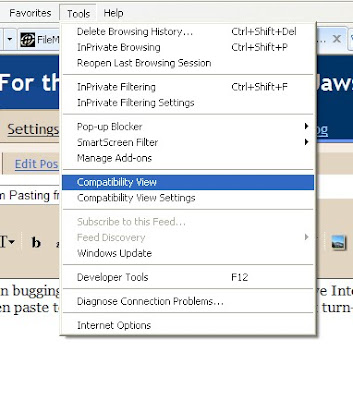 While you're at it, you may as well set Blogger to be in compatibility mode into the future; so, got to Tools / Comaptibility Settings. This brings up a Menu Box. Enter "Blogger.com" into the text field at the top and click "Add" then click "Ok". This makes it so Blogger is in Compatibility Mode everytime you go here.
I haven't fully tested this to see if it makes anything else not work, but at least you can copy and paste. I found this here: http://www.google.com/support/forum/p/blogger/thread?tid=418da73cad5aa018&hl=en (I copied and pasted this while in compatibility mode).


